Skip to content
How to Access Darda OS v14.2, Buy DCC on Polygon, and Unlock 10% Service Benefits
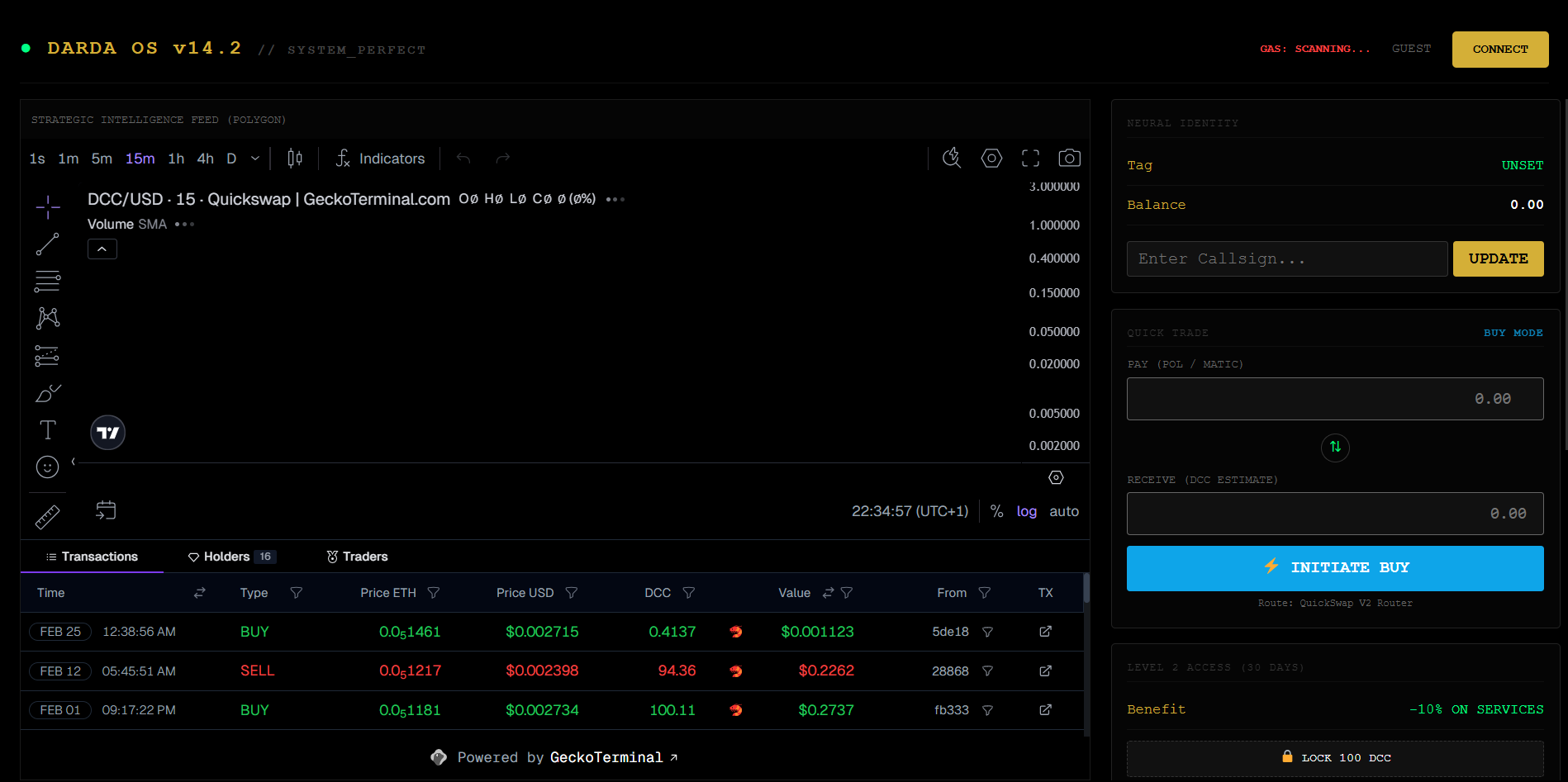
Darda OS v14.2 is more than a dashboard. It is a gateway into the DardaCode ecosystem — designed to help users interact with DCC, explore the Polygon network, and unlock real utility connected to DardaCode services.
In this guide, you will learn how to set up MetaMask, switch to Polygon, access Darda OS v14.2, buy DCC on DEX, and lock 100 DCC to receive 10% off DardaCode services.
What is Darda OS v14.2?
Darda OS v14.2 is a strategic access layer built for the DardaCode ecosystem. It allows users to interact with DCC in a more direct and structured way, with features designed around identity, token access, DEX interaction, and future service utility.
Inside Darda OS v14.2, users can:
- Connect their wallet
- View DCC market activity
- Access DEX buying flow
- Manage identity and callsign logic
- Prepare for service-based token utility
- Lock DCC for ecosystem benefits
Step 1: Copy the Official DCC Contract Address
Before buying DCC, make sure you are using the correct official contract address.
Official DCC Contract Address:0x16E07d54EA59083532E33c58124D40d7dE2592D1
Always double-check the address before making any purchase or adding the token to your wallet.
Step 2: Install MetaMask
To interact with Darda OS and buy DCC, you need a crypto wallet. MetaMask is one of the easiest options.
Option A — Chrome Extension
- Open the Chrome Web Store
- Search for MetaMask
- Install the extension
- Create a new wallet or import an existing one
- Safely store your recovery phrase offline
Option B — Mobile App
- Download the MetaMask app from the App Store or Google Play
- Create or import your wallet
- Secure your recovery phrase
- Open the in-app browser later if needed for DEX access
Step 3: Switch MetaMask to Polygon Network
DCC runs on the Polygon network, so your wallet must be connected to Polygon before you can use it correctly.
In MetaMask:
- Open the network selector
- Choose Polygon Mainnet
If Polygon is not already added, add it manually using the standard Polygon Mainnet settings in MetaMask.
Once switched, your wallet will be ready to interact with DCC and Darda OS on Polygon.
Step 4: Access Darda OS v14.2
After setting up MetaMask and switching to Polygon, open Darda OS v14.2 and connect your wallet.
Inside the interface, you will be able to:
- View the DCC market feed
- Access buy mode
- See your estimated DCC amount
- Prepare your identity tag
- Explore ecosystem utility
Darda OS v14.2 is designed with a more strategic interface, combining token interaction with future ecosystem logic.
Step 5: Buy DCC on DEX
Once connected, you can buy DCC directly through the DEX flow.
How it works
- Open Buy Mode
- Enter the amount of POL / MATIC you want to spend
- Review the estimated DCC output
- Confirm the trade in MetaMask
- Wait for the Polygon transaction to complete
After the swap is successful, your DCC balance should appear in your wallet.
Step 6: Add DCC to MetaMask
If DCC does not appear automatically, add it manually using the official contract address.
DCC Contract Address:0x16E07d54EA59083532E33c58124D40d7dE2592D1
Once added, MetaMask will display your DCC balance on Polygon.
Step 7: Lock 100 DCC to Unlock Service Benefits
One of the most practical utilities in the DardaCode ecosystem is the service benefit layer.
Users who lock 100 DCC can unlock:
10% Off DardaCode Services
This connects the token directly to real utility inside the DardaCode ecosystem.
That means your DCC is not just a digital asset — it becomes a gateway to:
- Service discounts
- Ecosystem participation
- Strategic access benefits
- Future expansion utility inside Darda OS
Why This Matters
DardaCode is building more than a standard agency experience. With Darda OS v14.2 and DCC on Polygon, the goal is to connect:
- digital services
- token utility
- smart access systems
- future ecosystem identity
This creates a bridge between Web design, blockchain, and automation — all inside one evolving structure.
Quick Recap
To get started:
- Copy the official DCC contract address
- Install MetaMask on Chrome or mobile
- Switch to Polygon
- Access Darda OS v14.2
- Buy DCC on DEX
- Add DCC to MetaMask
- Lock 100 DCC
- Unlock 10% off DardaCode services
Official DCC Contract
0x16E07d54EA59083532E33c58124D40d7dE2592D1
Final Words
Darda OS v14.2 is an early access layer into a bigger vision. For users, this is the easiest way to begin: set up your wallet, enter Polygon, buy DCC, and activate real ecosystem benefits.
The next stage is not only holding tokens — it is using them with purpose.
DardaCode is building digital intelligence with real utility.